
Fill & Sign PDFs
Fill, prepare, and sign PDFs online.
Upload a PDF, add the fields people need to complete, collect electronic signatures, and keep the entire document workflow moving without printing or scanning.
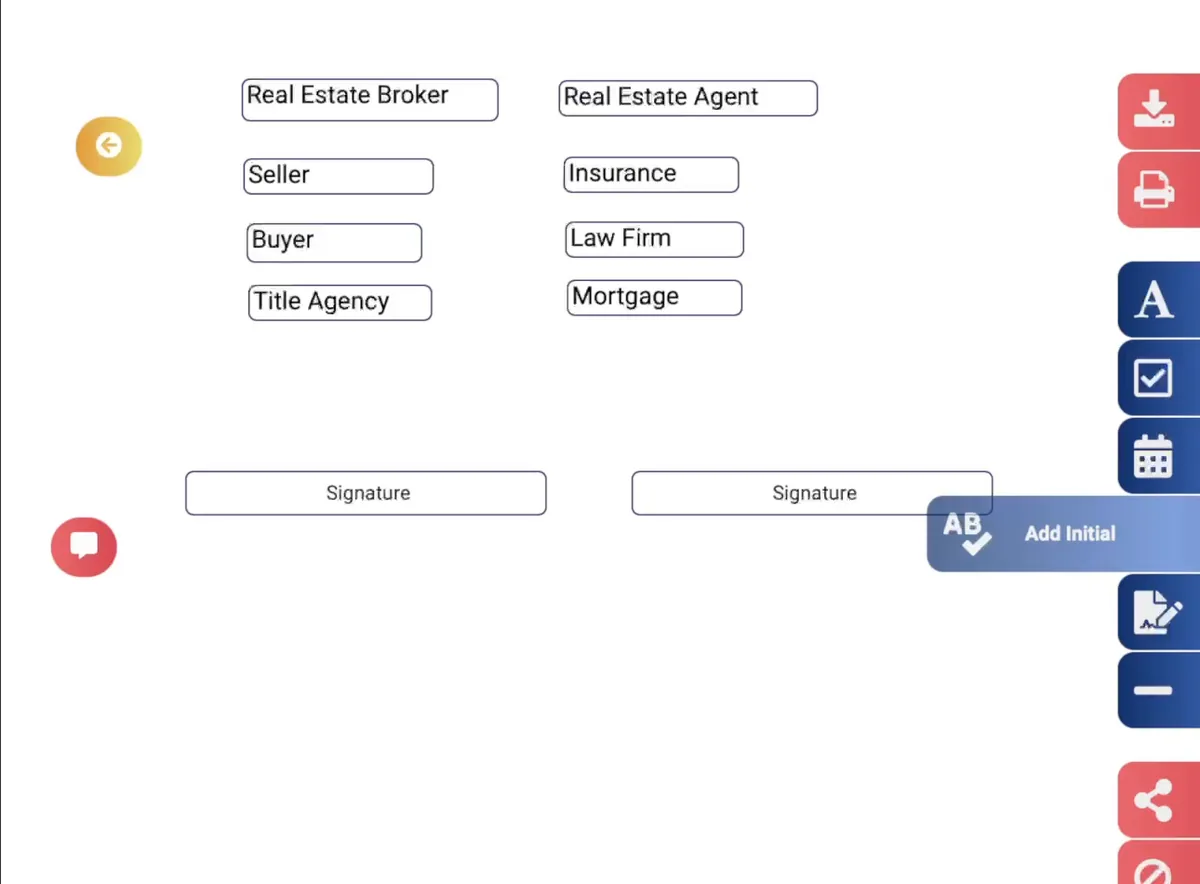
More than a PDF viewer
Turn static PDFs into documents people can complete.
Add interactive fields to existing PDFs so recipients can enter information, sign, initial, select options, and complete required actions directly in the document.
Signatures
Add electronic signature fields.
Initials
Collect initials where required.
Text
Capture typed information.
Dates
Add date fields.
Checkboxes
Collect selections and confirmations.
Recipient assignment
Assign fields to the appropriate recipient.
How it works
From PDF upload to completed document.
Keep preparation, recipient action, and completion connected to the same document.
- 1
Upload your PDF
Bring the document into eSignbold.
- 2
Add fillable fields
Place the information and signature fields the document needs.
- 3
Assign recipients
Connect each field with the person responsible for it.
- 4
Set requirements
Review required actions and any signing order.
- 5
Send the document
Deliver the prepared PDF through a supported digital channel.
- 6
Track progress
See what is complete and what still needs attention.
- 7
Keep it organized
Retain the completed document with its workflow context.
Prepare before you send
Get the document right before it reaches the recipient.
Position required fields, confirm recipient assignments, and prepare the signing experience before sending the request.
Send for signature
Turn a prepared PDF into a signing request.
Route the document to one or more recipients, define the required actions, and move the workflow forward digitally.
- Multiple recipients
- Ordered signing when the workflow requires it
- Email and SMS delivery
- Reminders and notifications
Track progress
Know when the PDF is still waiting for action.
Track document progress after sending so you can understand what is complete and what still needs attention.
Repeatable PDF workflows
Use templates when the same document comes back again and again.
Turn frequently used documents into reusable templates so teams can prepare recurring workflows faster. Keep the standard fields and roles in place, then review the details that change with each recipient or agreement.
Related eSignbold features
Continue the document workflow.
Explore the capabilities and product information most closely connected to this page.
eSignature
See the broader electronic-signature workflow.
View esignatureTemplates
Reuse recurring document structures.
View templatesDocument tracking
Follow progress after sending.
View document trackingAudit trails
Review documented signing activity.
View audit trailsPricing
Review the current evaluation path.
View pricingFill & Sign PDFs FAQ
Questions about this workflow.
Verified answers for evaluating this eSignbold capability.
Ready when you are
Turn your next PDF into a digital workflow.
Prepare it, send it, get it signed, and keep the process moving with eSignbold.